
Your cart
Your cart is empty


SMD
TP-Link Deco X50-Outdoor AX3000 Outdoor / Indoor Mesh Wi-Fi 6 Unit
TP-Link Deco X50-Outdoor AX3000 Outdoor / Indoor Mesh Wi-Fi 6 Unit
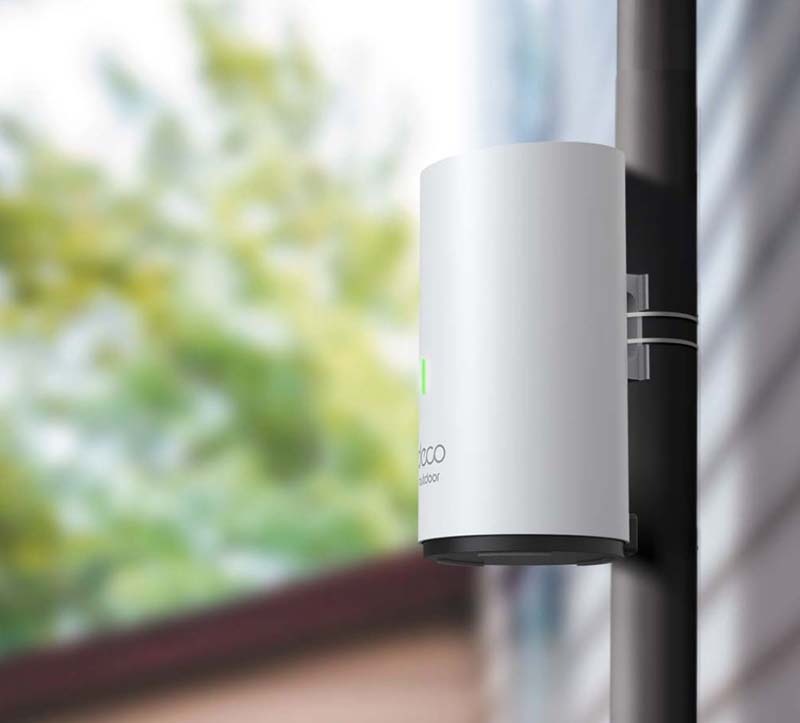
Outdoor / Indoor, Enjoy Your WiFi Wherever You Want
AX3000 Outdoor/Indoor Whole Home Mesh WiFi 6 Unit
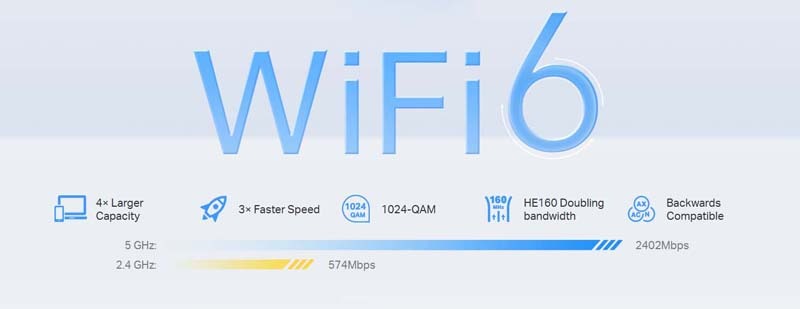
AX3000 Dual-Band WiFi 6 Mesh
Ideal for Your Latest Phones and Laptops
Armed with WiFi 6 technology, Deco whole home mesh WiFi is designed to deliver a huge boost in coverage, speed, and total capacity. Get on the latest mesh WiFi to enjoy the future network that loads faster and connects more.
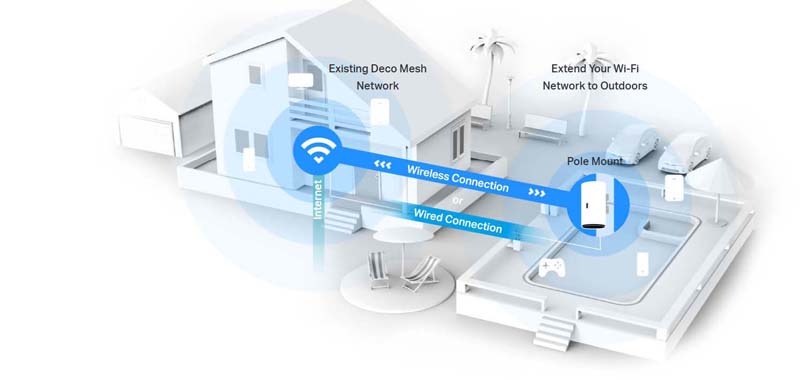
Ideal for Fast Outdoor Wi-Fi
Deco X50-Outdoor features a weatherproof enclosure and solid operating temperature, enabling strong Wi-Fi signals outside. Flexible installation and power supply make it even easier for outdoor use.
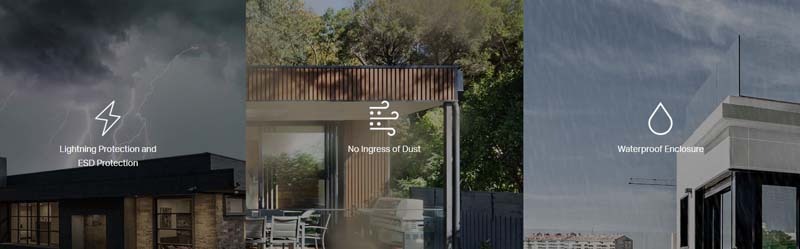
IP65 Weatherproof Enclosure for Outdoor Environments
Rated as IP65 during Ingress Protection testing, a resilient weatherproof enclosure protects Deco X50-Outdoor against the harsh outdoor condition, such as dust ingress, shock, vibration, moisture and so on.
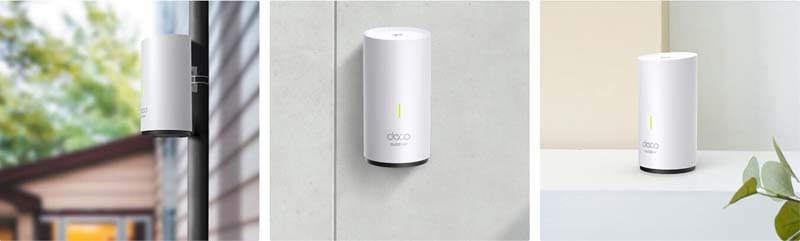
Versatile Mounting Solutions
Our mounting kits are flexible to deploy with pole mount, wall mount and tabletop options, whether inside or outside.
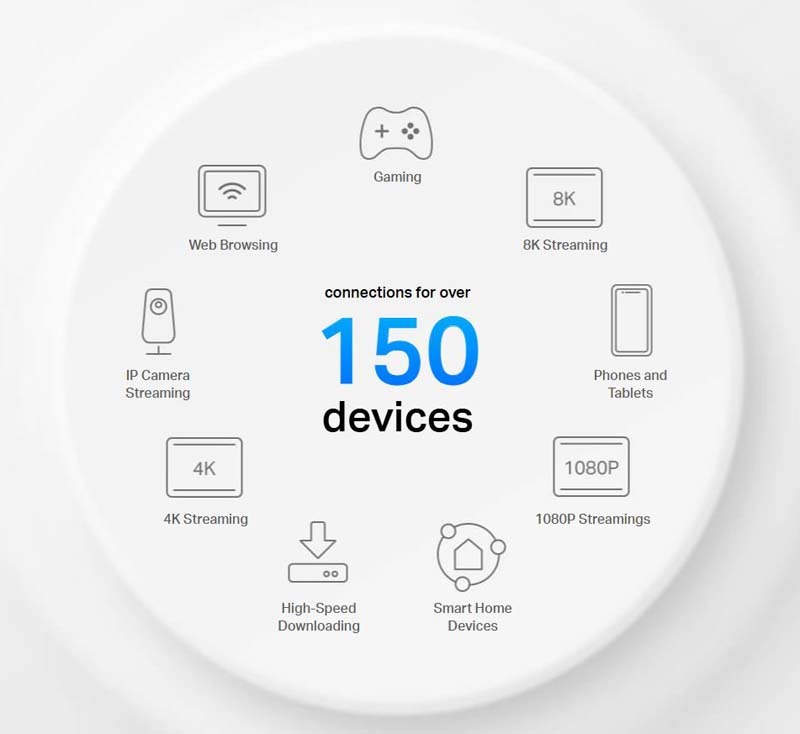
Engineered for More Devices
Deco products are aimed to dramatically improve capacity and efficiency in traffic-dense environments. No matter how many screens or devices are on at once, everyone is able to enjoy a more efficient network that loads faster without dragging down performance
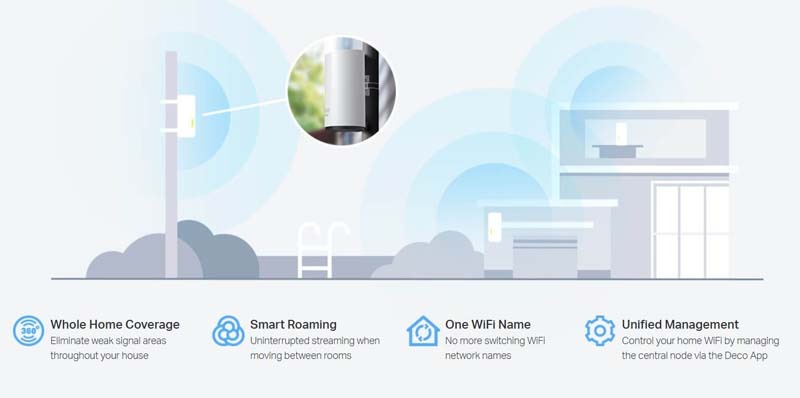
Seamless Roaming, From Inside to Outside
TP-Link Mesh means Deco units work together to form one unified network. Your phone or tablet automatically connects to the fastest Deco as you move through your home, creating a truly seamless Wi-Fi experience.
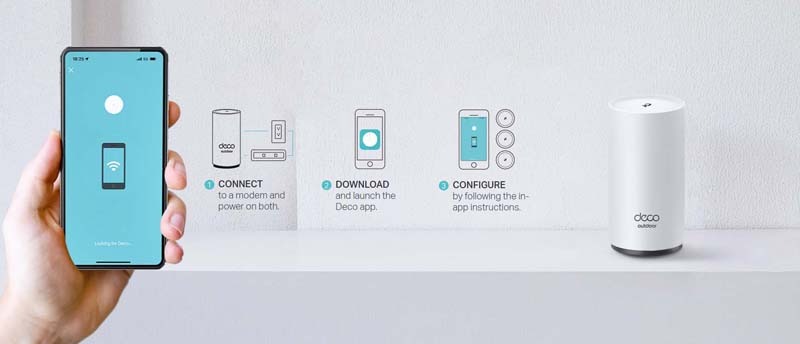
Simple. Easy. Yet Powerful.
Setup and manage your network anytime and anywhere on the friendly TP-Link Deco app. In just three easy steps your entire home can be blanketed in strong and reliable WiFi.
TP-Link
TP-Link Deco X50-Outdoor AX3000 Outdoor / Indoor Mesh Wi-Fi 6 Unit
Online Only
Estimated delivery between June 10 and June 14.
Get It Now, Pay Later


* 7-Day Returns
Change-of-mind returns are accepted within 7 days on eligible products that remain unopened, unused, and in resellable condition. Opened or activated devices and accessories may not qualify for return. View our full Returns Policy.
TP-Link Deco X50-Outdoor AX3000 Outdoor / Indoor Mesh Wi-Fi 6 Unit
Outdoor / Indoor, Enjoy Your WiFi Wherever You Want
AX3000 Outdoor/Indoor Whole Home Mesh WiFi 6 Unit
AX3000 Dual-Band WiFi 6 Mesh
Ideal for Your Latest Phones and Laptops
Armed with WiFi 6 technology, Deco whole home mesh WiFi is designed to deliver a huge boost in coverage, speed, and total capacity. Get on the latest mesh WiFi to enjoy the future network that loads faster and connects more.
Ideal for Fast Outdoor Wi-Fi
Deco X50-Outdoor features a weatherproof enclosure and solid operating temperature, enabling strong Wi-Fi signals outside. Flexible installation and power supply make it even easier for outdoor use.
IP65 Weatherproof Enclosure for Outdoor Environments
Rated as IP65 during Ingress Protection testing, a resilient weatherproof enclosure protects Deco X50-Outdoor against the harsh outdoor condition, such as dust ingress, shock, vibration, moisture and so on.
Versatile Mounting Solutions
Our mounting kits are flexible to deploy with pole mount, wall mount and tabletop options, whether inside or outside.
Engineered for More Devices
Deco products are aimed to dramatically improve capacity and efficiency in traffic-dense environments. No matter how many screens or devices are on at once, everyone is able to enjoy a more efficient network that loads faster without dragging down performance
Seamless Roaming, From Inside to Outside
TP-Link Mesh means Deco units work together to form one unified network. Your phone or tablet automatically connects to the fastest Deco as you move through your home, creating a truly seamless Wi-Fi experience.
Simple. Easy. Yet Powerful.
Setup and manage your network anytime and anywhere on the friendly TP-Link Deco app. In just three easy steps your entire home can be blanketed in strong and reliable WiFi.
Specifications
Specifications
WIRELESS
Standards and Protocols
Wi-Fi 6
IEEE 802.11ax/ac/n/a 5 GHz
IEEE 802.11ax/n/b/g 2.4 GHz
WiFi Speeds
AX3000
5 GHz: 2402 Mbps (802.11ax)
2.4 GHz: 574Mbps (802.11ax)
WiFi Range
1-3 Bedroom Houses (1-pack)
TP-Link Mesh Technology
Optional Ethernet backhaul works together to link Deco units to provide seamless coverage
AI-Driven Mesh
Intelligently learns the network environment to provide ideal Wi-Fi unique to your home
2× Antennas (Internal)
Multiple antennas form a signal-boosting array to cover more directions and large areas
WiFi Capacity
High
Dual-Band
Distribute devices to different bands for optimal performance
MU-MIMO
Simultaneously communicates with multiple MU-MIMO clients
OFDMA
Simultaneously communicates with multiple WiFi 6 clients
4 Streams
More than enough bandwidth for connected devices
Working Modes
Router, Access Point
SECURITY
Network Security
SPI Firewall
Access Control
Home Shield Security
Real-Time IoT Protection
Malicious Site Blocker
Intrusion Prevention System
DDoS Attack Prevention
Home Network Scanner
Guest Network
1× 5 GHz Guest Network
1× 2.4 GHz Guest Network
Wi-Fi Security
WPA/WPA2/WPA3
HARDWARE
Ethernet Ports
2 × Gigabit ports per Deco unit
(PoE and WAN/LAN autosensing)
Power
Power Input
IEEE 802.3at PoE or 100-240V~50/60Hz 0.5A AC
SOFTWARE
Protocols
IPv4
IPv6
Service Kit
Home Shield
Parental Controls
Home Shield Parental Controls
Youtube Restriction
Safe Search
Custom Profiles
Professional Content Filter Library
Family Time
Bedtime
Off Time
Time Rewards
Family Online Time Ranking
Pause the Internet
Weekly and Monthly Reports
WAN Types
Dynamic IP
Static IP
PPPoE
L2TP
PPTP
Quality of Service
Home Shield QoS
QoS by Device
Cloud Service
OTA Firmware Upgrade
TP-Link ID
DDNS
NAT Forwarding
Port Forwarding
UPnP
IPTV
IGMP Proxy
IGMP Snooping
Bridge
Tag VLAN
DHCP
Address Reservation
DHCP Client List
Server
DDNS
TP-Link
Management Features
Deco App
TEST DATA
WiFi Transmission Power
FCC: <30 dBm (2.4 GHz), <30 dBm (5 GHz)
CE: <20 dBm (2.4 GHz), <30 dBm (5 GHz)
PHYSICAL
Dimensions (W×D×H)
4.3 × 4.8 × 8.5 in (110 × 121.3 × 215.5 mm)
OTHERS
Certification
CE, FCC, RoHS
Environment
Operating Temperature: -30°C~60°C (-22°F~140°F)
Storage Temperature: -40°C~70°C (-40 °F~158 °F)
Operating Humidity: 10%~90% RH
Storage Humidity: 5%~90% RH
What’s in the box
1 × Deco X50-Outdoor unit
1 × AC Power Cord
1 × RJ45 Ethernet cable
Wall/Pole Mounting Kit (Pole Mounting Strap, Plastic Wall Anchors, Self-tapping Screws)
Installation Guide
- Choosing a selection results in a full page refresh.
- Opens in a new window.